Windows 11 KB5079473 released with features, direct download links for offline installers (.msu)
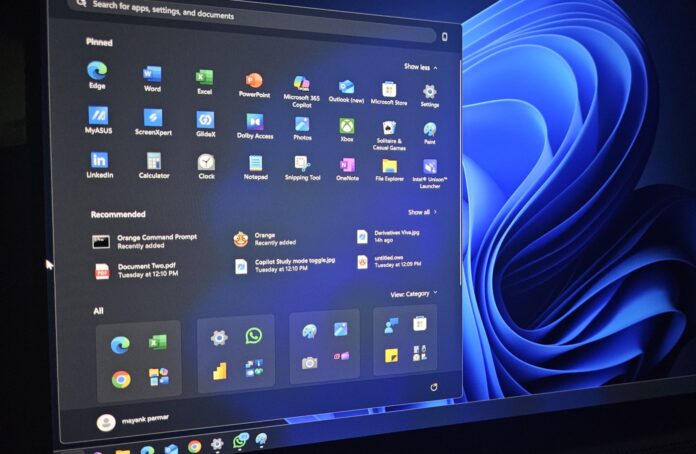
Windows 11 KB5079473 is now rolling out as part of Microsoft’s March 2026 Patch Tuesday, and it has up to nine new features, including Emoji 16, Internet Speed Test, Extract all options in Explorer, and more. You can download it via Windows Update or use one of the direct download links for KB5079473 offline installers (.msu).
KB5079473 is a mandatory update, and it’s titled “2026-03 Security Update (KB5079473) (26200.8037).” A security update means it’ll download and install automatically unless you manually pause the Windows Update service.
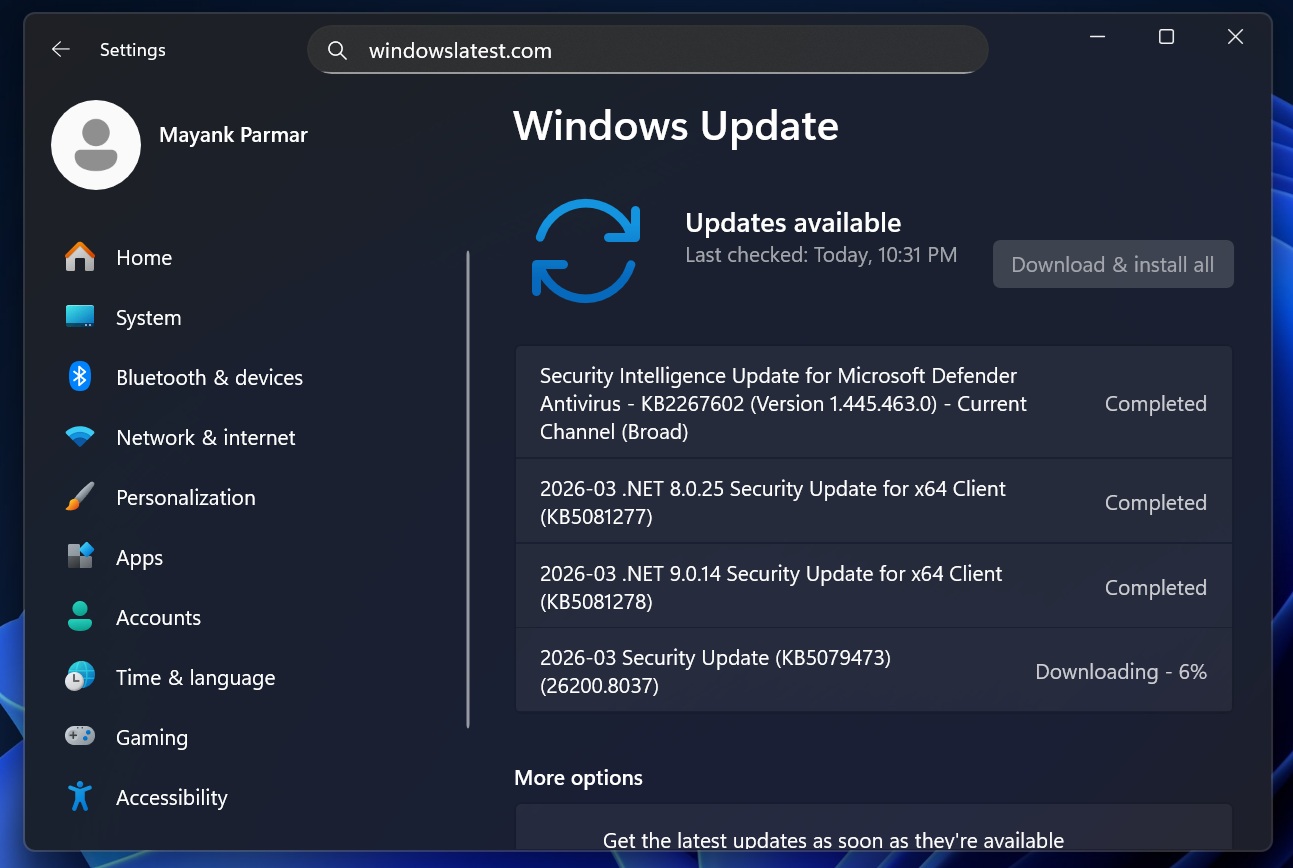
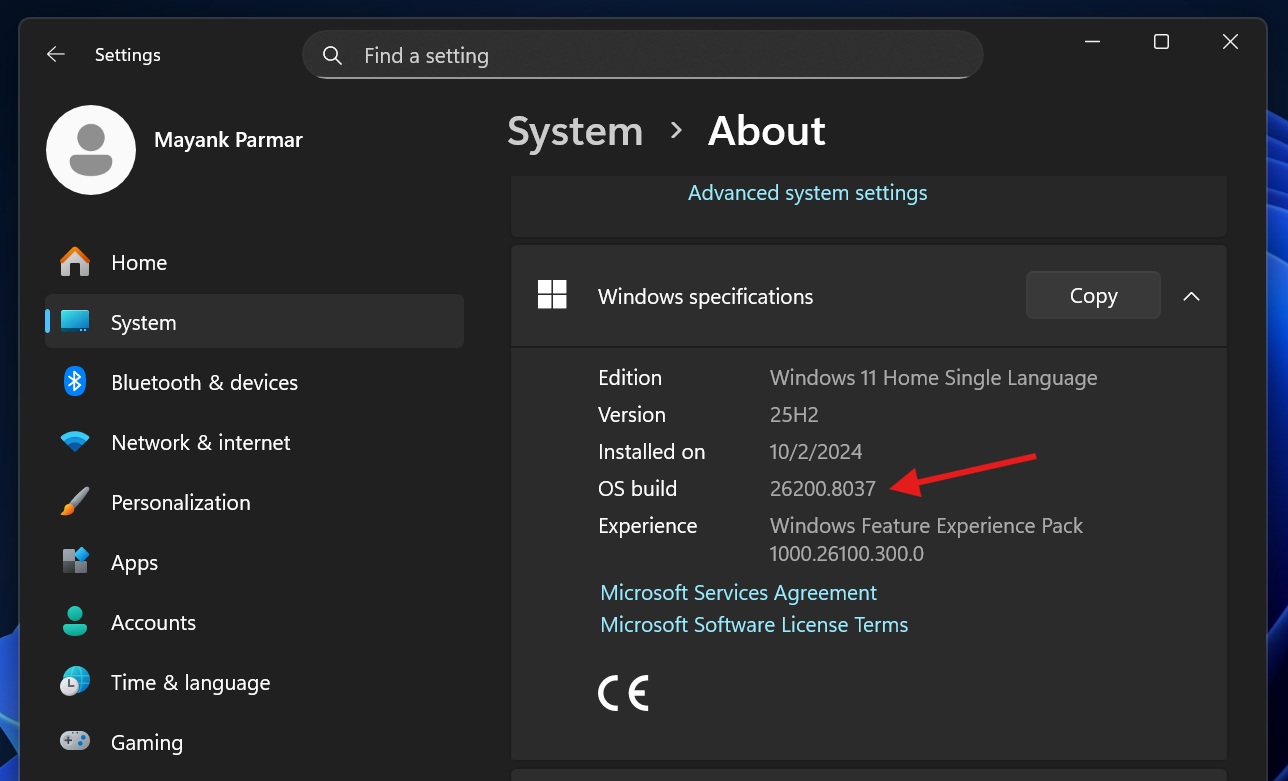
In our tests, Windows Latest noticed that Windows 11 25H2 bumps to Build 26200.8037 after the March 2026 Update, and version 24H2 bumps to Build 26100.8037.
Microsoft has also posted the following two updates:
- 2026-03 .NET 8.0.25 Security Update for x64 Client (KB5081277)
- 2026-03 .NET 9.0.14 Security Update for x64 Client (KB5081278)
.NET updates are required by some Windows apps, including inbox apps or features.
Download Links for Windows 11 KB5079473
Windows 11 KB5079473 Direct Download Links: 64-bit and ARM-64 | Microsoft Update Catalog lets you download an offline installer (.msu).
If you use Update Catalog, the size of the update would come down to almost 4GB, and I have a breakdown for each version/variant in the following table:
Build NumberSizeOS VersionArchitecture26200.80374523.6 MBWindows 11 25H2x64-based26200.80374308.8 MBWindows 11 25H2arm64-based26100.80374523.6 MBWindows 11 24H2x64-based26100.80374308.8 MBWindows 11 24H2arm64-basedTo download Windows 11 Build 26200.8037, open Settings > Windows Update, and check for updates.
If you’re an enterprise, you can use WSUS to manage the updates, or you can also use third-party tools like Zoho’s ManageEngine, which gives admins a single console to scan, download, and deploy patches across their operating systems.
Regardless, consumers only need to rely on Windows Update, and here’s everything you need to know about this patch.
What’s new in Windows 11 Build 26200.8037 (25H2) / Build 26200.8037 (24H2)?
Note: New features in Windows 11 March 2026 Update are rolling out gradually, and they won’t show up right away after the installation.
1. Emoji 16.0 finally arrives in Windows 11
It’s been 6 months since Windows Latest reported about the Emoji 16.0 update coming to Windows 11, but at that time, the Emoji panel didn’t support it.
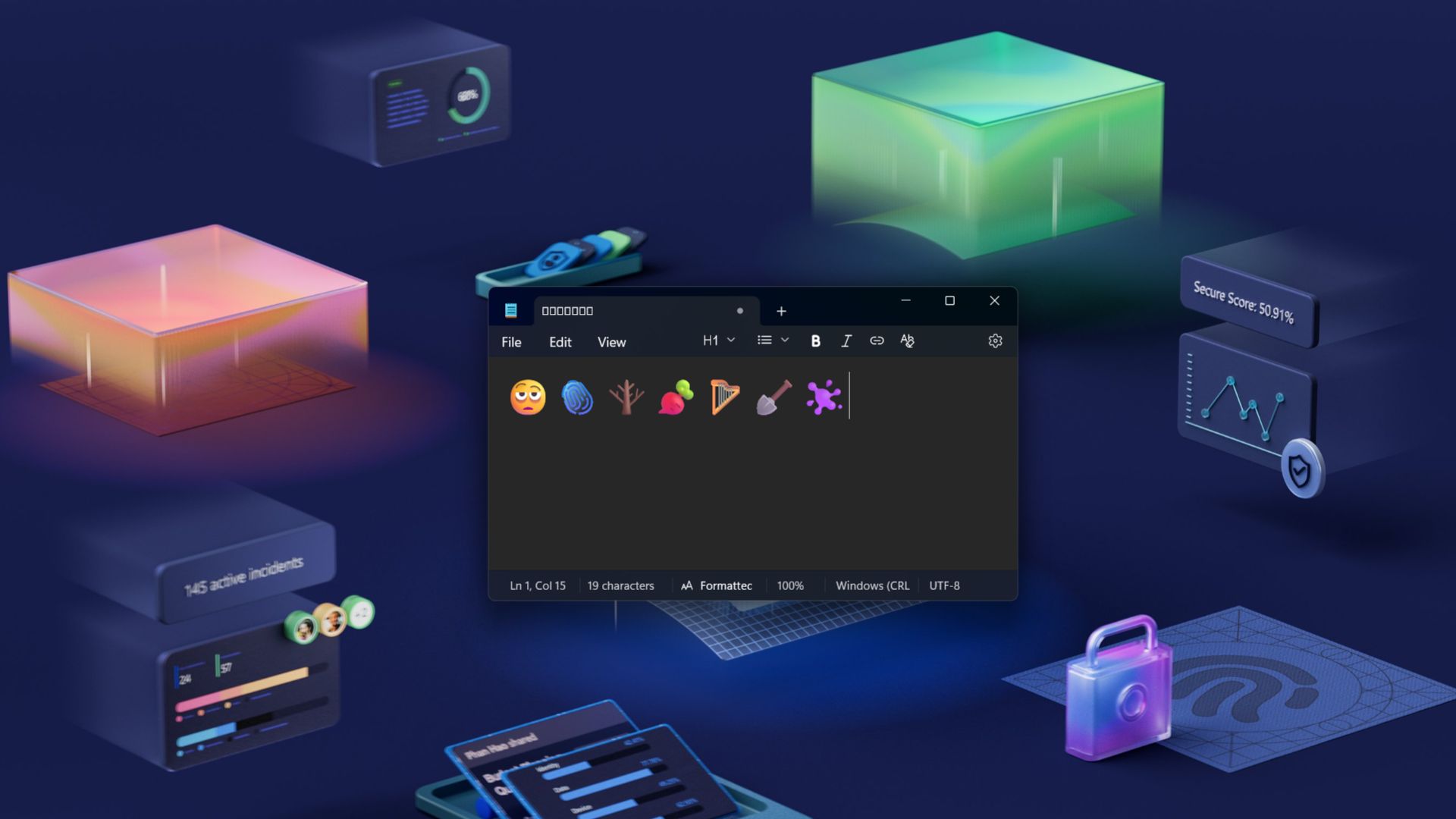
However, with Windows 11 KB5079473, the latest Unicode release introduces a small, carefully selected set of new emojis that now appear in the Windows emoji panel. According to Microsoft, the update adds one new emoji from each major category, designed to represent commonly used expressions and symbols.
2. Windows Backup restore expands to organizations
Microsoft is expanding Windows Backup restore capabilities to enterprise environments. With this update, the first sign-in restore experience is now available as part of Windows Backup for Organizations. The feature automatically restores a user’s settings and Microsoft Store apps the first time they sign in to a device.
After Windows 11 KB5079473, this restore experience works on:
- Microsoft Entra hybrid-joined devices
- Cloud PCs
- Multi-user environments
The goal is to simplify device refreshes and migrations by automatically recreating a user’s familiar environment when they log in to a new system, which is understandable since many organizations are replacing older Windows PCs. IT administrators will get a more consistent setup process during device upgrades, replacements, or large-scale deployments.
3. Quick Machine Recovery turns on automatically for more PCs
Previously, Quick Machine Recovery (QMR) was enabled only in limited scenarios. With the Windows 11 KB5079473 update, the feature now turns on automatically for Windows Professional devices that are not domain-joined and not managed by enterprise endpoint tools.
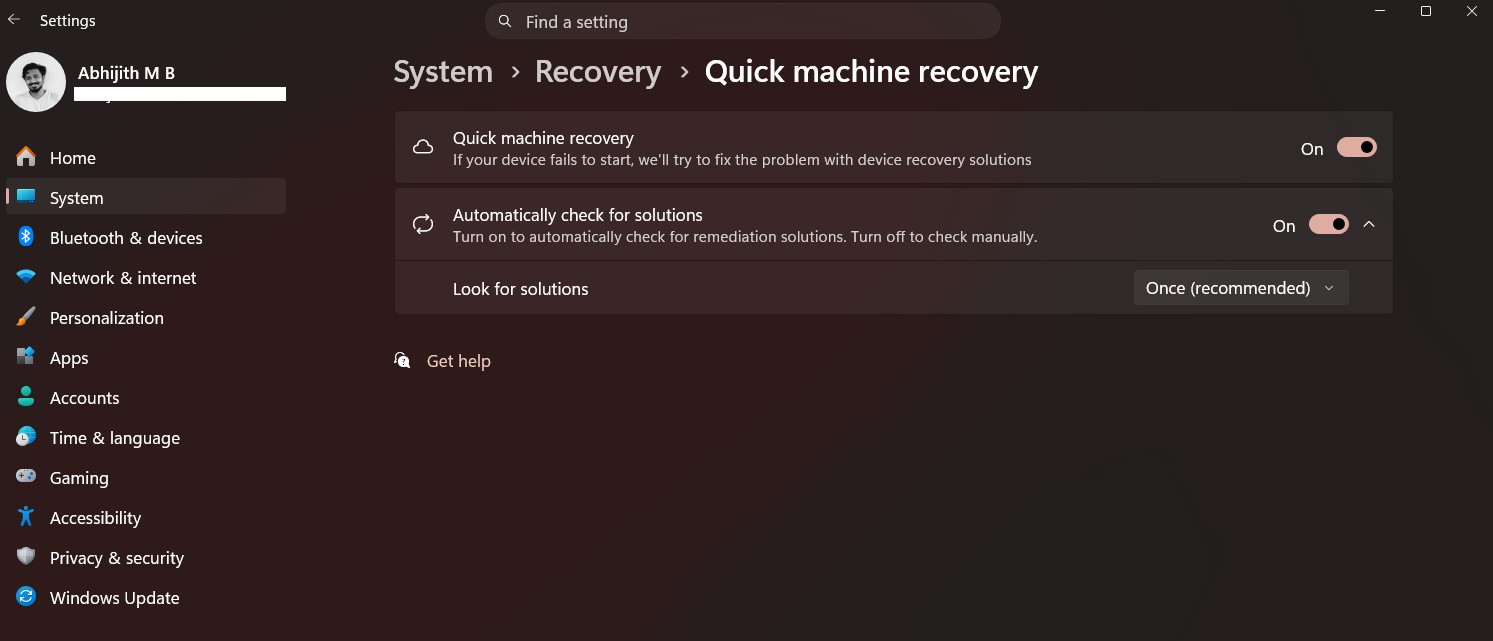
This means unmanaged Windows Pro PCs now receive the same recovery capabilities that were previously available primarily to Windows Home systems. Quick Machine Recovery helps restore a system when serious boot problems occur by providing recovery options that help repair startup issues.
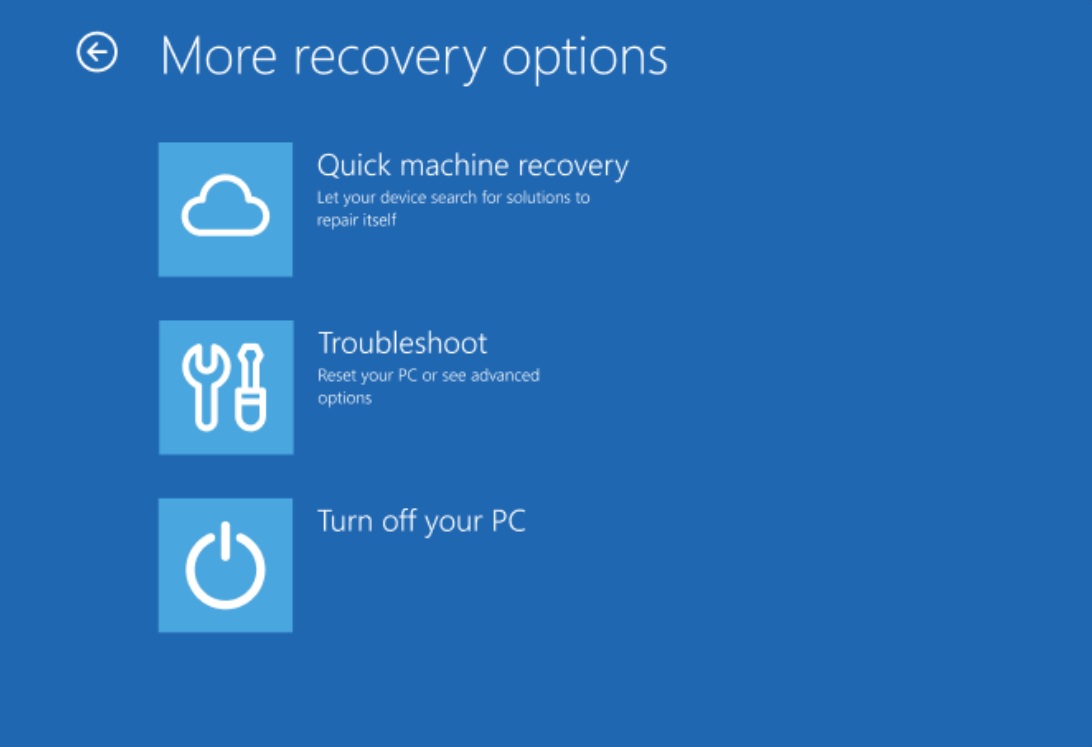
For enterprise environments, the behavior remains unchanged. Domain-joined or enterprise-managed devices will still have QMR disabled by default, unless an organization specifically enables it.
4. Built-in network speed test arrives in the taskbar
Taskbar is also getting a built-in network speed test in Windows 11 KB5079473, making it easier to check connection performance directly from the system tray.
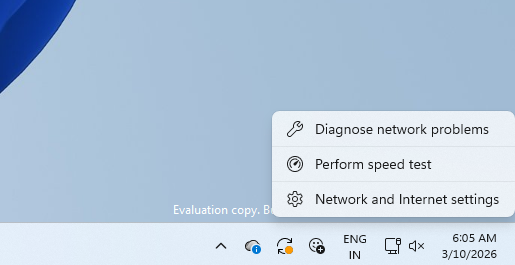
You can launch the speed test from:
- Wi-Fi Quick Settings
- Cellular Quick Settings
- Right-clicking the network icon in the system tray
However, as we reported, the internet speed test tool in the taskbar is not a native feature and opens in your default browser to measure the speed of Ethernet, Wi-Fi, and cellular connections.
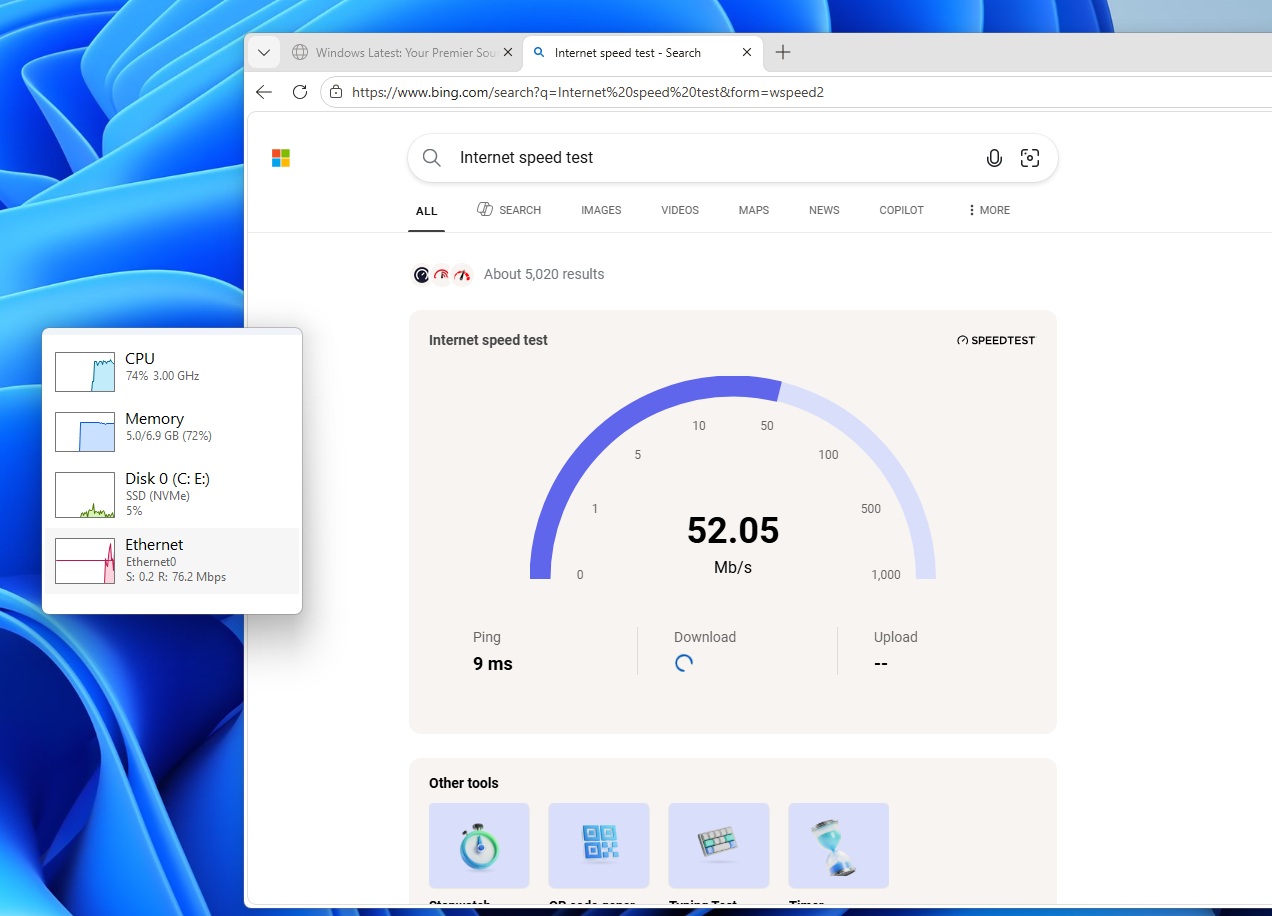 Bing internet speed test tool on Windows 11
Either way, the feature is still useful when diagnosing network issues or verifying that your internet connection is performing as expected.
5. Windows now includes built-in Sysmon for security monitoring
One of the most technical additions in this update is the integration of Sysmon (System Monitor) directly into Windows. Sysmon is a well-known tool used by security professionals and administrators to monitor detailed system activity.
It can capture system events that help with threat detection, event logging, and system monitoring. These events are written to the Windows Event Log, allowing security tools and monitoring software to analyze activity across the system.
Until now, Sysmon was only available through Microsoft’s Sysinternals suite, which meant administrators had to manually download and configure it. With the March 2026 update, Windows now includes Sysmon as an optional built-in feature.
However, the feature is disabled by default and must be manually enabled before it can be used in Windows 11 KB5079473.
You can enable Sysmon from:
Settings > System > Optional Features > More Windows Features > Sysmon
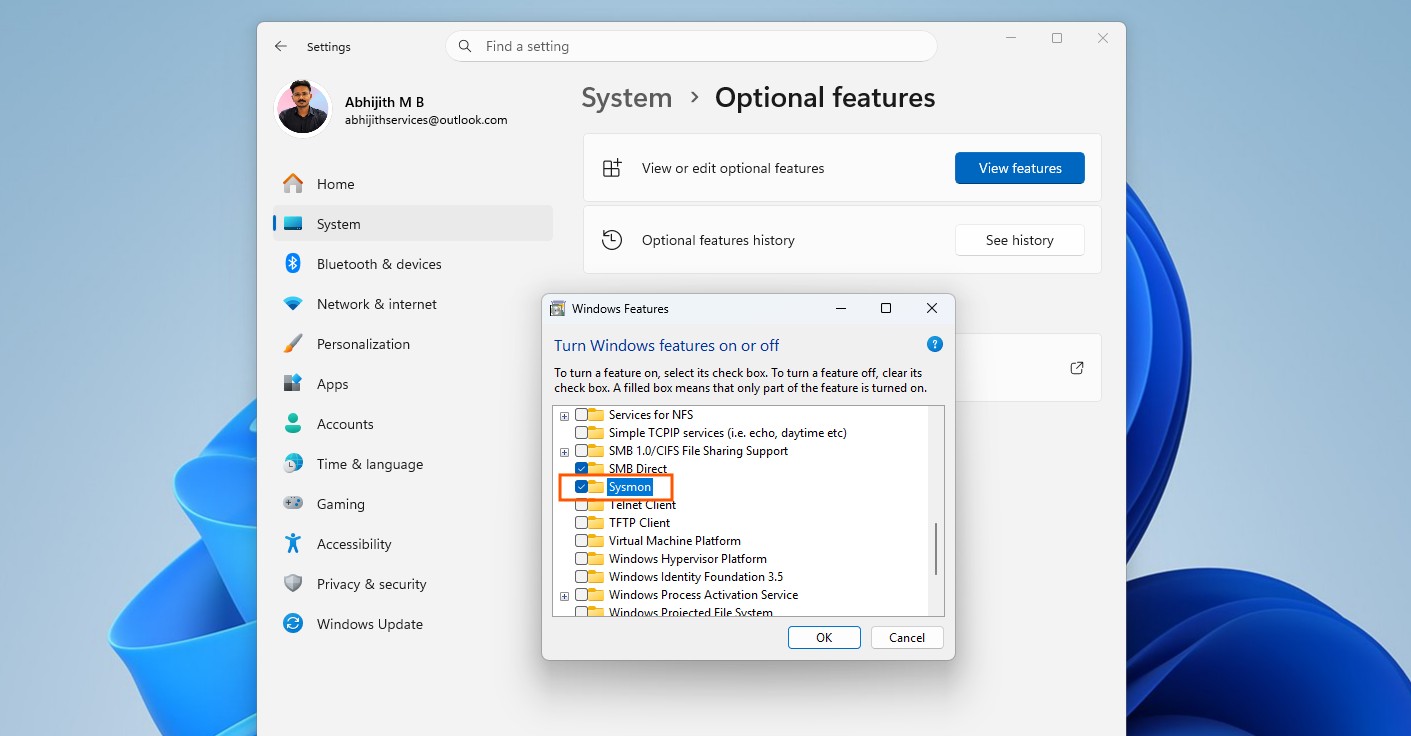
Alternatively, you can enable it through PowerShell or Command Prompt by running the following command:
Dism /Online /Enable-Feature /FeatureName:SysmonAfter installing the feature, you must complete the setup by running:
sysmon -i
If you previously installed Sysmon through the Sysinternals package, Microsoft recommends removing that version first before enabling the new built-in version.
6. Widgets settings redesigned
Microsoft has also made a small change to the Widgets experience. Previously, Widget settings opened in a small dialog window. With this update, the settings now open as a full-page interface inside the Widgets app.
7. WebP wallpapers are now supported
Windows 11 KB5079473 now supports WebP images as desktop wallpapers. WebP is a modern image format widely used on the web because it has better compression without any loss in high image quality. With the March update, you can now set .webp images directly as desktop backgrounds.
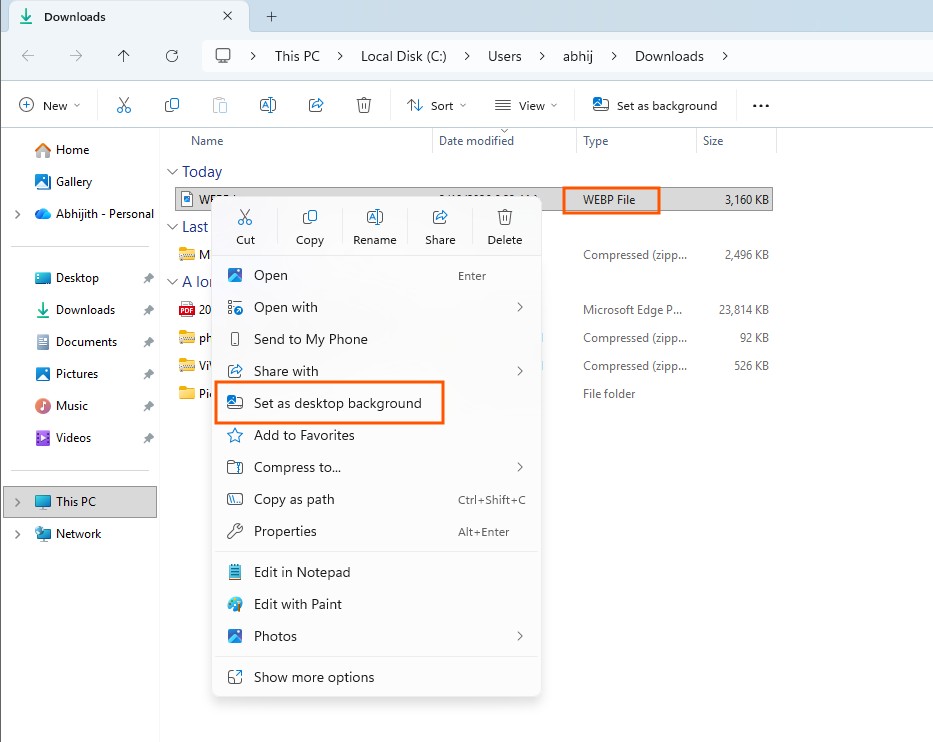
You can apply a WebP wallpaper in two ways:
8. Taskbar search improvements
The taskbar search experience is also getting a few refinements. Search results now include group headers that show the number of results available in each category, making it easier to identify when more results exist within a specific group.
Windows 11 KB5079473 also adds a preview option for search results. You can hover over a result and select Preview to view its contents without opening the file directly.
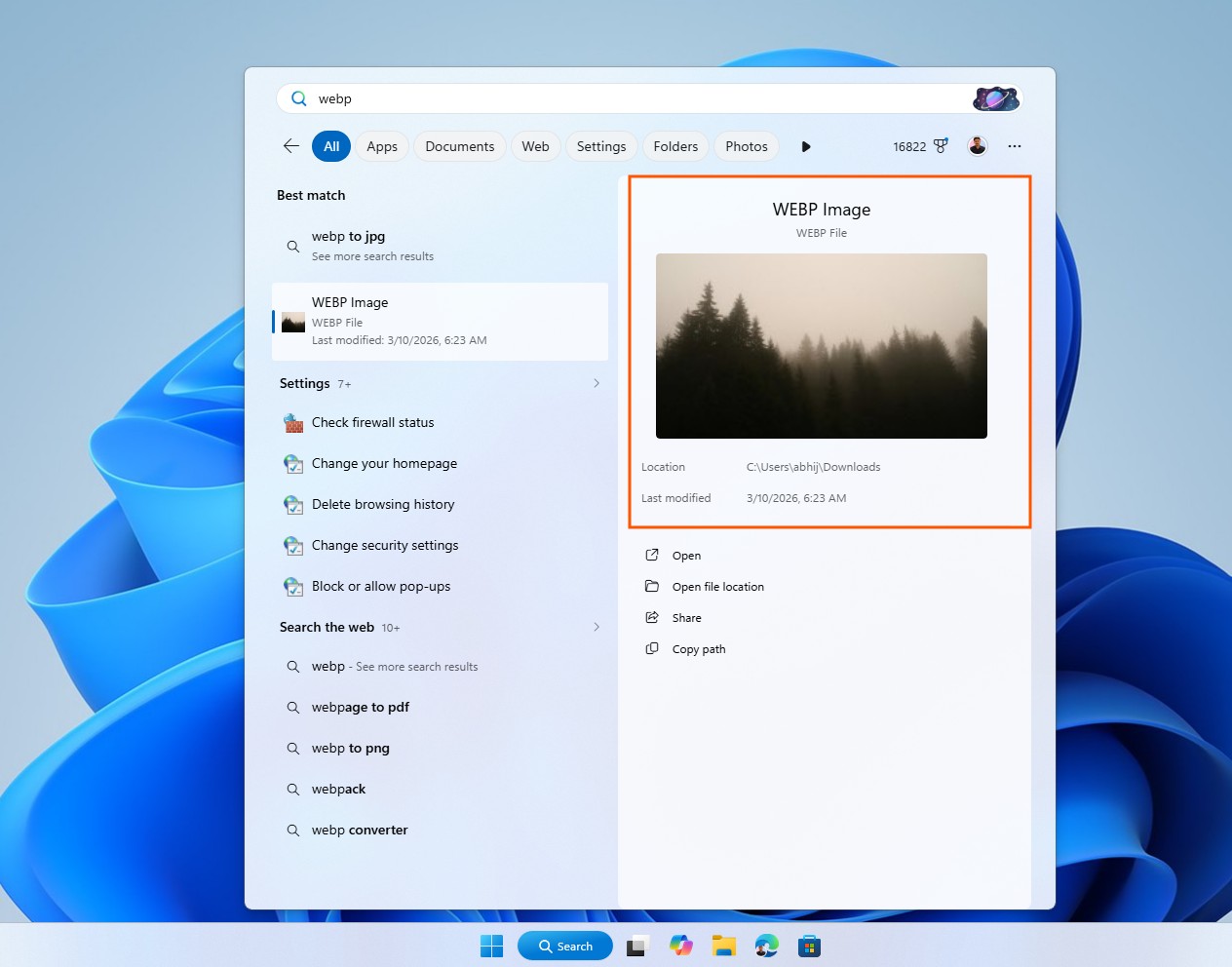
In addition, Microsoft has updated the Search process icon in Task Manager, which now displays a magnifying glass.
9. The File Explorer search bar is now reliable
More notably, Microsoft quietly confirmed that the March 2026 Update makes the File Explorer’s search a bit reliable, especially when you’re searching multiple drives or simply querying ‘This PC.’
10. Colourful taskbar battery icons and new Start menu roll out to more PCs
Microsoft insists that the colourful battery icons, including ‘green’ with a charging bolt when the PC is charging, and red when the battery is about to run out of power, are now rolling out on more PCs.
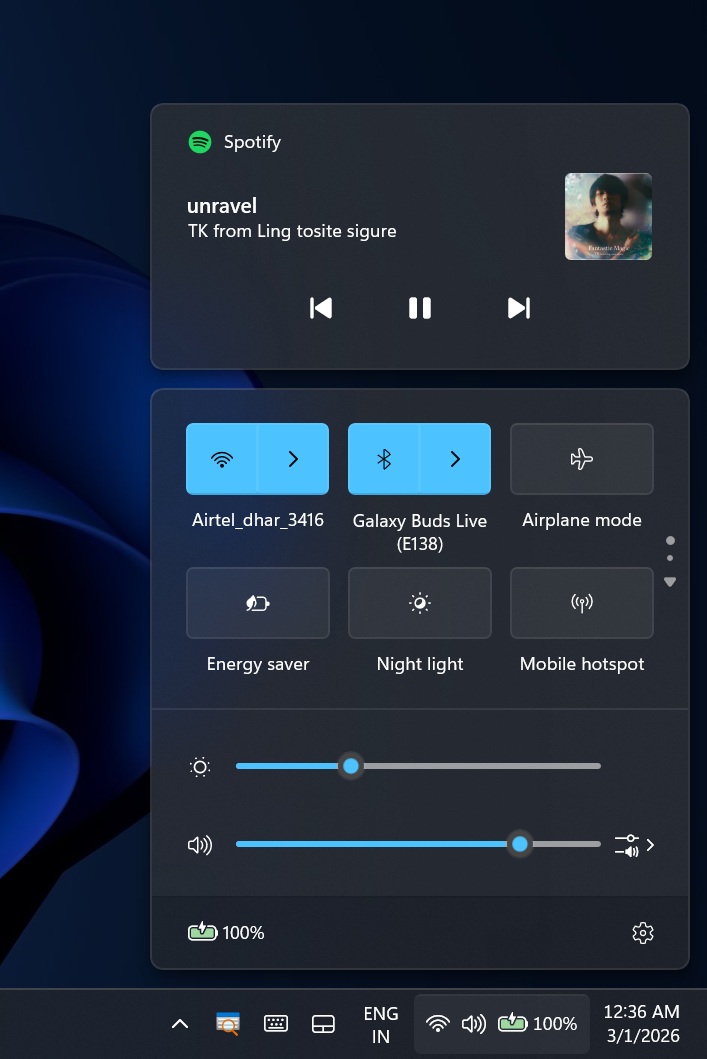
In addition, the new Start menu with Categories layout should show up on more PCs with the patch.
Windows 11 KB5079473 security fixes and improvements
If you’ve already installed February 2026’s optional update, you have the features, but they may not show up right away as they roll out gradually. Regardless, everyone gets the important security fixes today, including fixes for six actively exploited zero-day vulnerabilities and up to 58 security issues.
Windows Latest has made the following table that explains all the security fixes rolling out today:
List of Windows 11 KB5079473 Patch Tuesday update security fixesSecurity fix categoryCountTotal flaws fixed58Actively exploited zero-days6Publicly disclosed zero-days3Critical vulnerabilities5Elevation of Privilege25Security Feature Bypass5Remote Code Execution12Information Disclosure6Denial of Service3Spoofing7Windows Latest also made a table that explains all the important security fixes we’re getting today, and why you really need to install the March 2026 Patch Tuesday update.
Actively exploited vulnerabilities fixed in the March 2026 UpdateCVEDetails of the vulnerabilityCVE-2026-21510Windows Shell flaw that could let attackers bypass SmartScreen and Windows Shell warnings using a malicious link or shortcut file.CVE-2026-21513MSHTML Framework security bypass that Microsoft says was actively exploited over a network.CVE-2026-21514Microsoft Word flaw that bypasses OLE protections when a user opens a malicious Office file.CVE-2026-21519Desktop Window Manager elevation of privilege bug that could give attackers SYSTEM privileges.CVE-2026-21525Windows Remote Access Connection Manager denial-of-service flaw that was found in a public malware repository.CVE-2026-21533Windows Remote Desktop Services elevation of privilege flaw that could be used to add a new user to the Administrators group.Is Microsoft aware of new issues in the March 2026 Update for Windows 11?
I asked Microsoft if it had any bugs to report, but the company clarified that it’s currently not aware of any issues with this update.
That doesn’t always mean a Windows Update is safe to install, and some of you might still run into isolated cases, particularly issues when installing Windows 11 KB5079473. If you run into install errors, I strongly recommend using the Media Creation Tool and performing a fresh install, but just choose to keep your personal files, apps, and settings.
Let me know if you come across new bugs, and we’ll send the report to Microsoft.