Microsoft begins removing Copilot from Windows 11, starting with Notepad, Snipping Tool, but not entirely
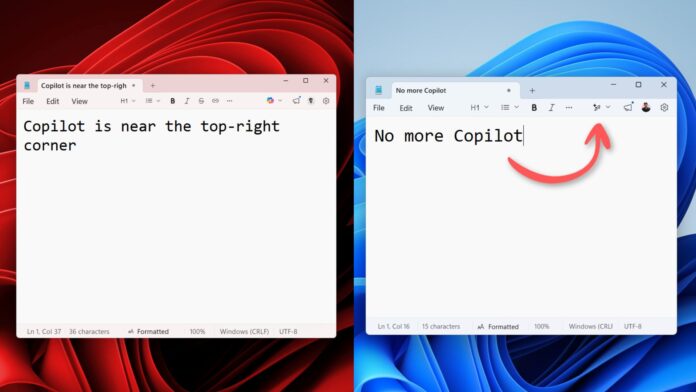 Microsoft removes the Copilot branding throughout Notepad
 It’s finally happening! The Notepad app for Windows Insiders has officially ditched Copilot branding in favour of a subtler “Writing tools” icon. Earlier, Notepad had a very prominent, colorful Copilot logo near the top-right corner, which everyone despised, despite the ability to disable it. In case of Snipping Tool, Microsoft has completely removed AI integration.
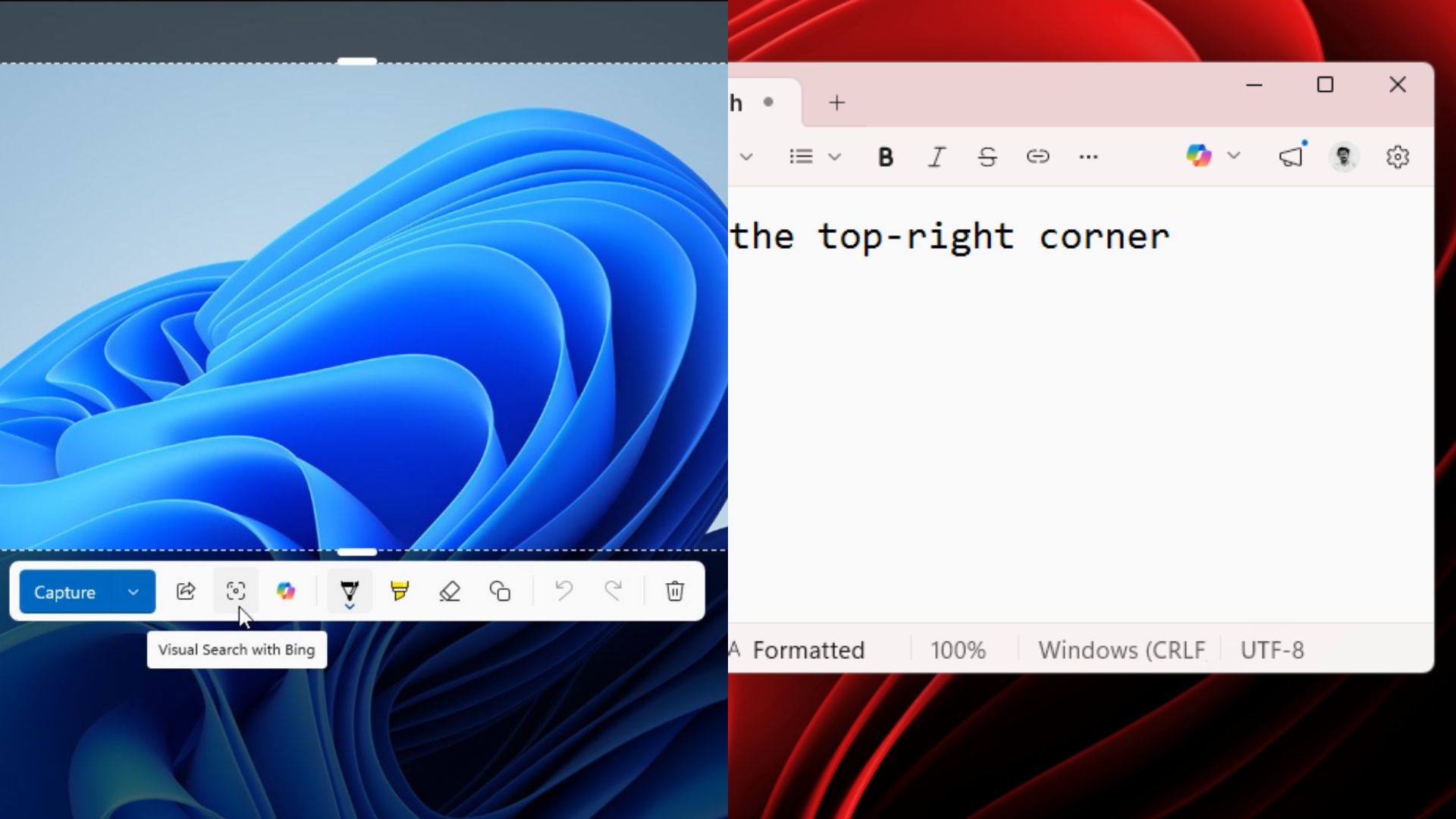
Snipping Tool also had a Copilot button that showed up after selecting an area with Quick markup enabled. But now, it seems even the regular version of Snipping Tool for all users has quietly removed the Copilot integration. Unlike Notepad, there was no option to manually disable Copilot in the Snipping Tool, which makes this a remarkable change.
Microsoft has confirmed it’s reducing unnecessary Copilot integration in Windows
On March 20, the President of Windows and Devices, Pavan Davuluri, published a blog post for Windows Insiders titled “Our commitment to Windows quality”. It was basically Microsoft admitting that they went too far with the AI push, along with a clear roadmap to fix Windows 11.
One of the highlights of the blog was Microsoft’s decision to reduce “unnecessary Copilot entry points, starting with apps like Snipping Tool, Photos, Widgets, and Notepad.”
Starting today, this change is now gradually rolling out.
Windows Notepad removed Copilot branding
In Notepad v11.2512.28.0, Microsoft removed Copilot branding completely from the Write, Rewrite, Summarize tools section and Notepad settings.
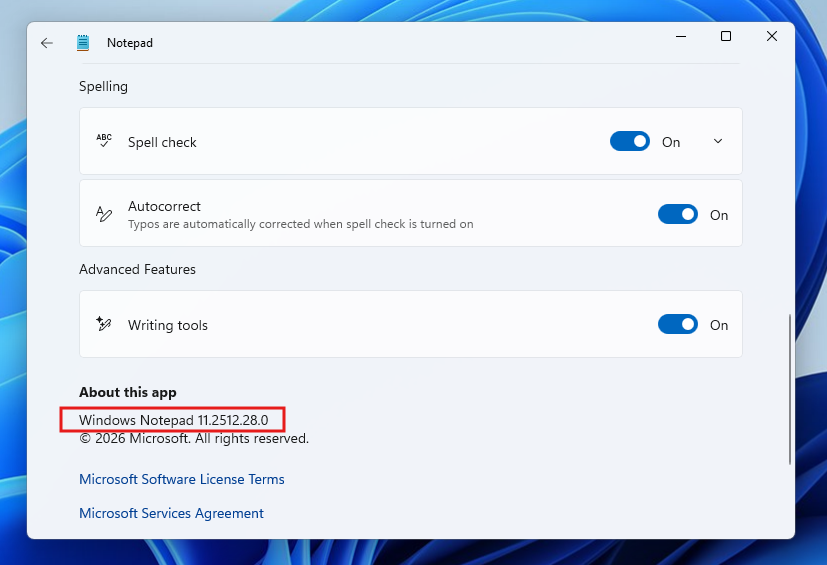 Windows Notepad version number that removed Copilot
Note that Microsoft didn’t completely remove AI from Notepad. It is just the Copilot logo and branding that was removed.
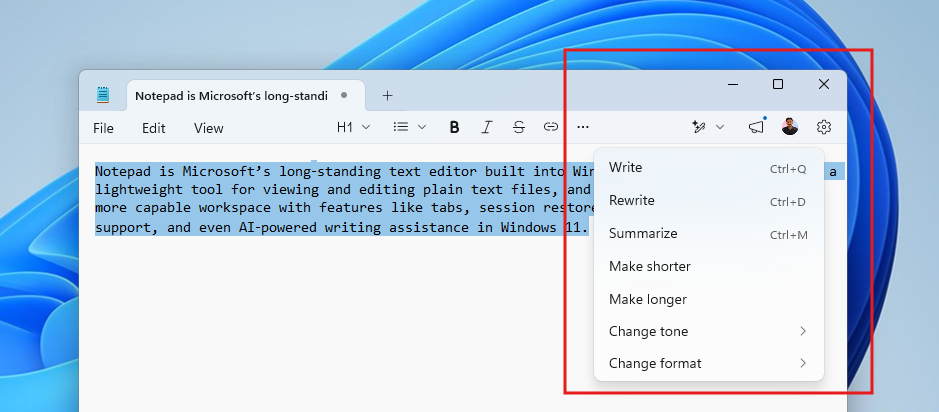
For example, as you can see in the above screenshot, Notepad’s toolbar no longer has the Copilot logo, as it has been replaced with a new pen icon, which, when hovered over, shows “Writing tools” with no mention of the dreaded AI word. However, whether it’s Write or Rewrite, all these “Writing Tools” are still powered by AI.
From the looks of it, there seems to be no change in functionality, and it’s only a rebranding.
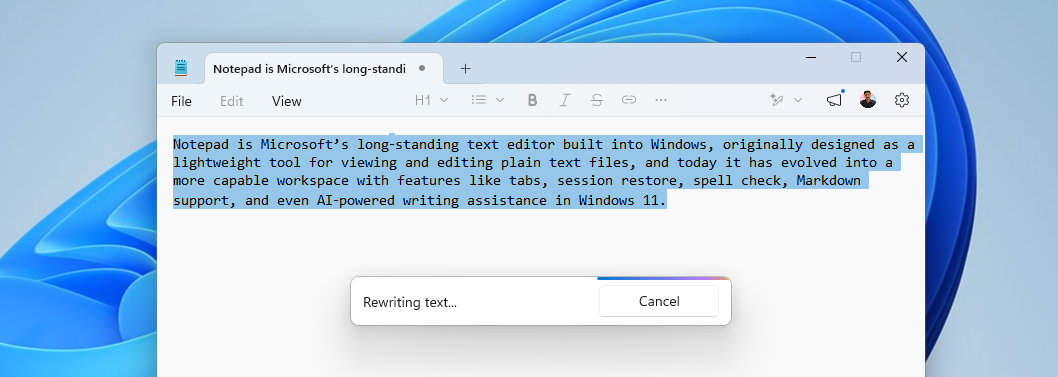 Notepad without Copilot doesn’t remove AI features
Turning off Writing tools in Settings will also remove the AI pen icon near the top-right corner. The option is now under “Advanced Features” and not “AI Features.”
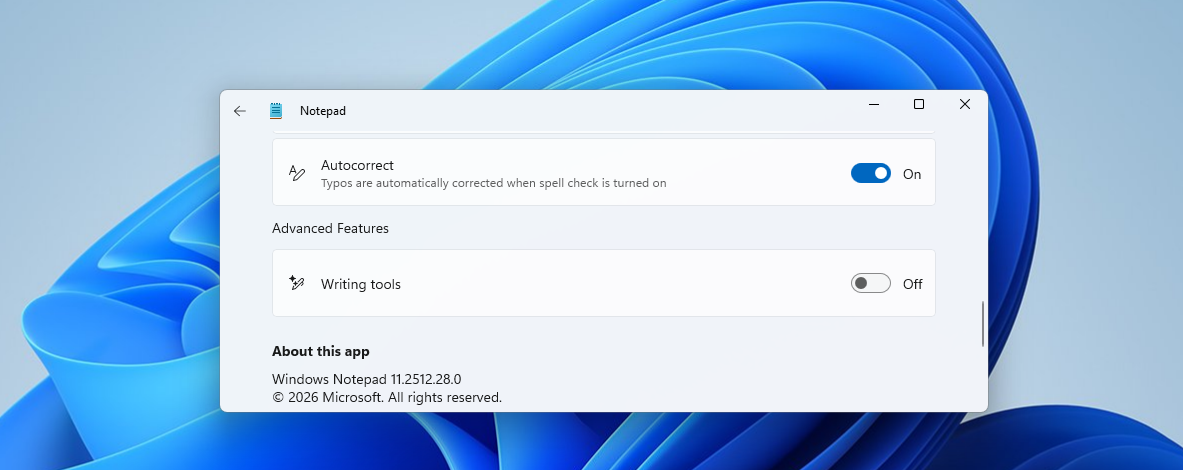 Writing tools powered by AI can be turned off in Notepad
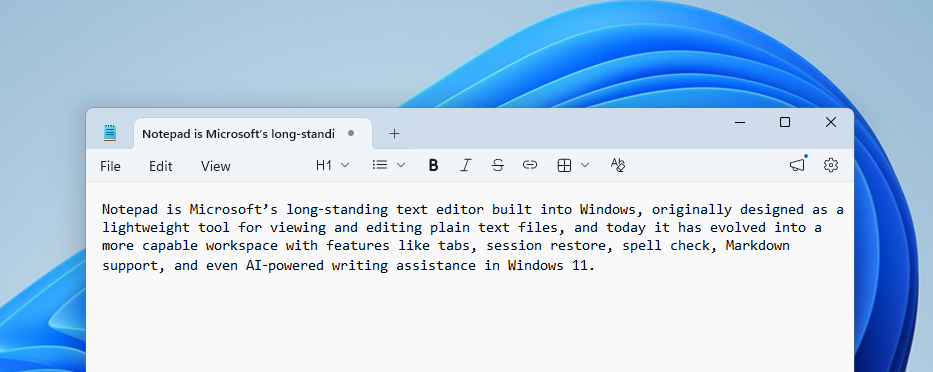 Notepad with Writing tools turned off
There might be skeptics and critics who say that the company could’ve removed AI completely, but I beg to differ because there is no going away from AI anytime soon.
At the same time, I wouldn’t be surprised if it’s the beginning of the end, and Notepad might either end up removing AI integration entirely or at least turn it off by default.
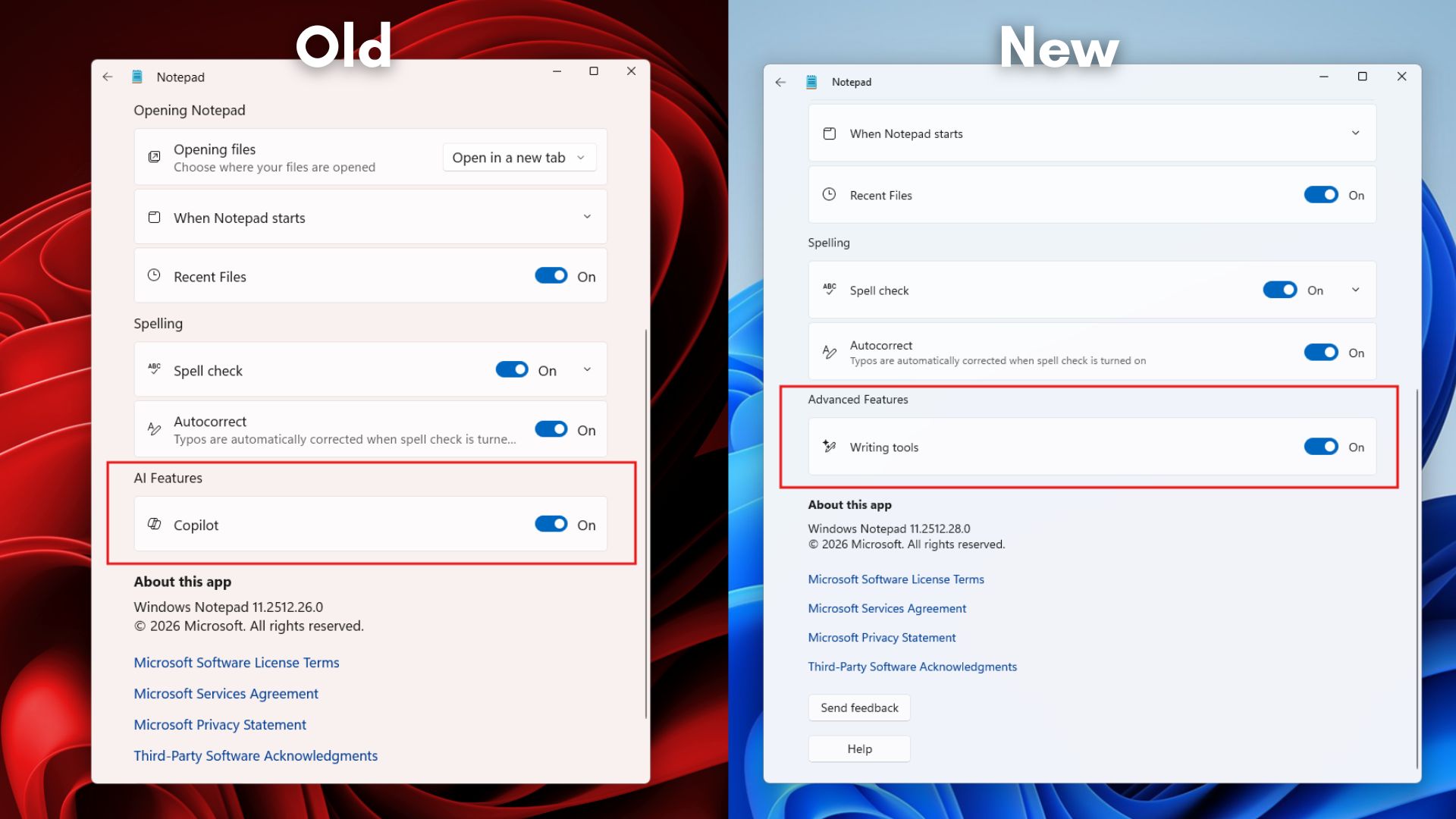 AI Features in Notepad renamed to Writing features
Notepad turned from a simple text editor to a full-fledged text editor with formatting, spell check, tables, and markdown support, which was even responsible for an 8.8 rated security issue in Notepad. The app is also getting image support, as reported first by Windows Latest. Fortunately, most of these features can be manually turned off if you don’t need them.
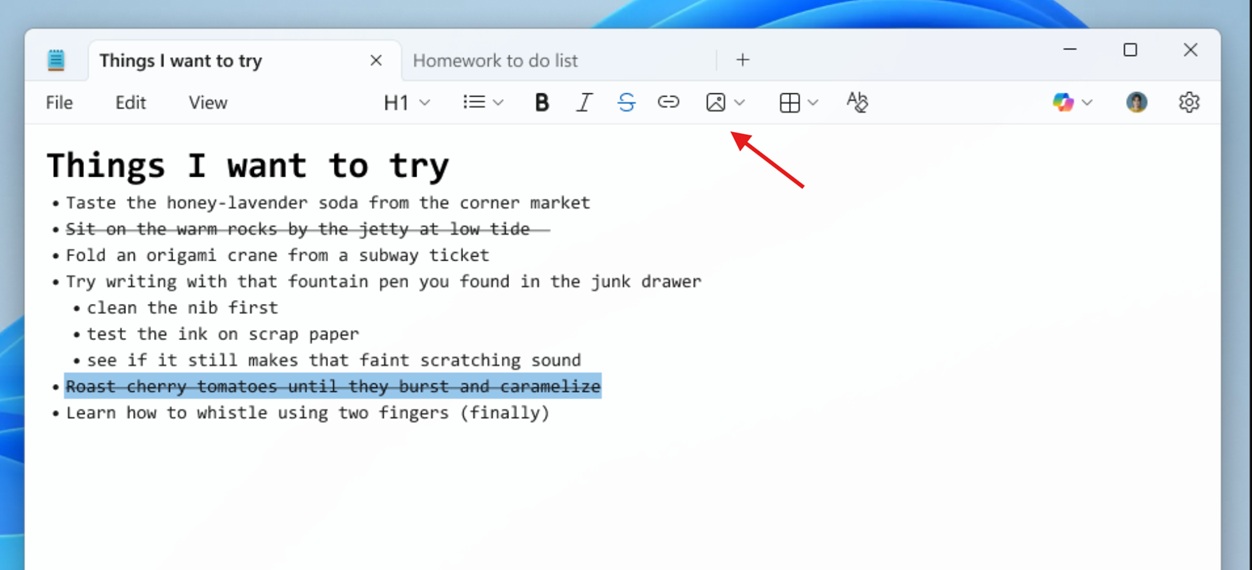
Snipping Tool doesn’t show the Copilot button anymore
A few months ago, while testing the Visual Search with Bing feature in the Snipping Tool, there was a rather distinguished Copilot icon that showed up every time after selecting an area to capture and markdown.
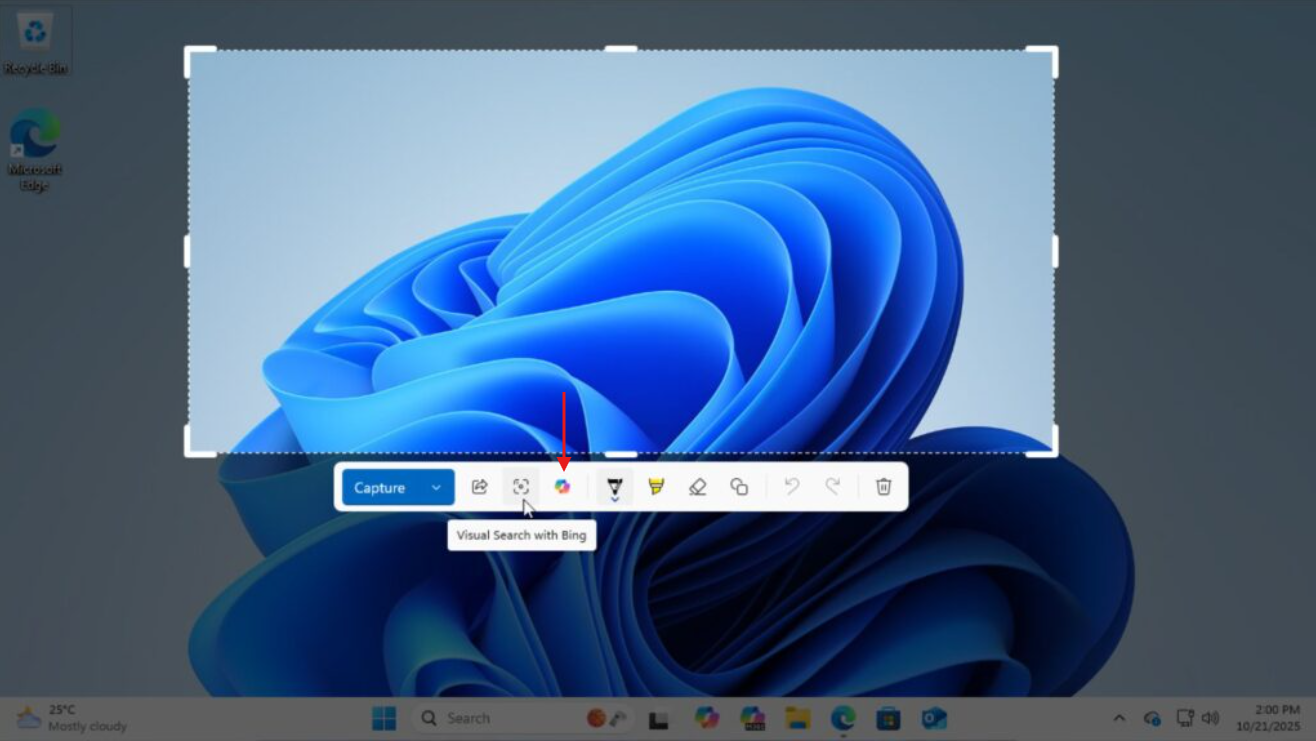 Copilot icon in Snipping Tool
Although a regular user of Snipping Tool, I didn’t notice the lack of this Copilot icon in the app until now. It just goes to show how ignorable the Copilot icon has become, as it was seen everywhere in Windows…
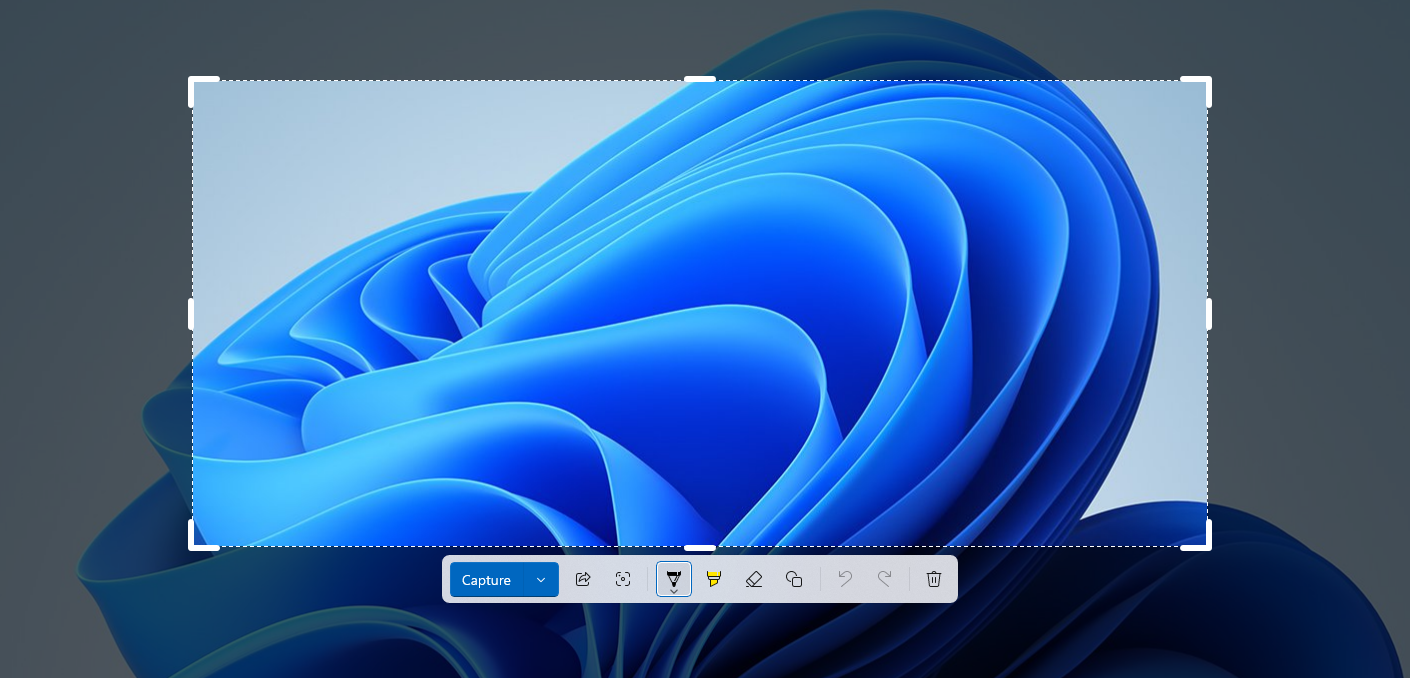 The Copilot icon from Snipping Tool has been removed
Also, unlike Notepad, there is no sign of AI anywhere in the Snipping Tool as of now. It’s completely gone, so it’s a big win.
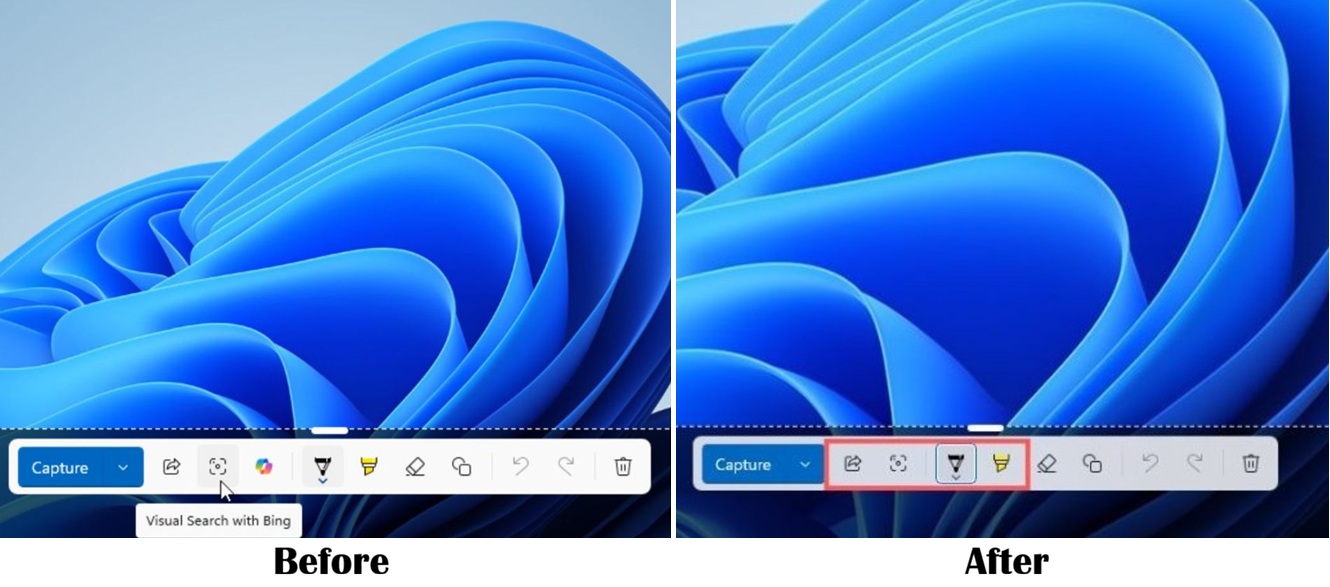
Either way, the removal of Copilot from Notepad and Snipping Tool is a sign that Microsoft wasn’t bluffing about scaling down Copilot integration throughout Windows. But don’t be fooled into thinking that the Company is removing AI. It’s just the approach that is changing.
I didn’t expect Microsoft to be steadfast in removing a branding that they spent a lot of resources convincing users it was the future, like the rebranding of Office to Microsoft 365 Copilot.